3,531 views243 copies
0Prompt
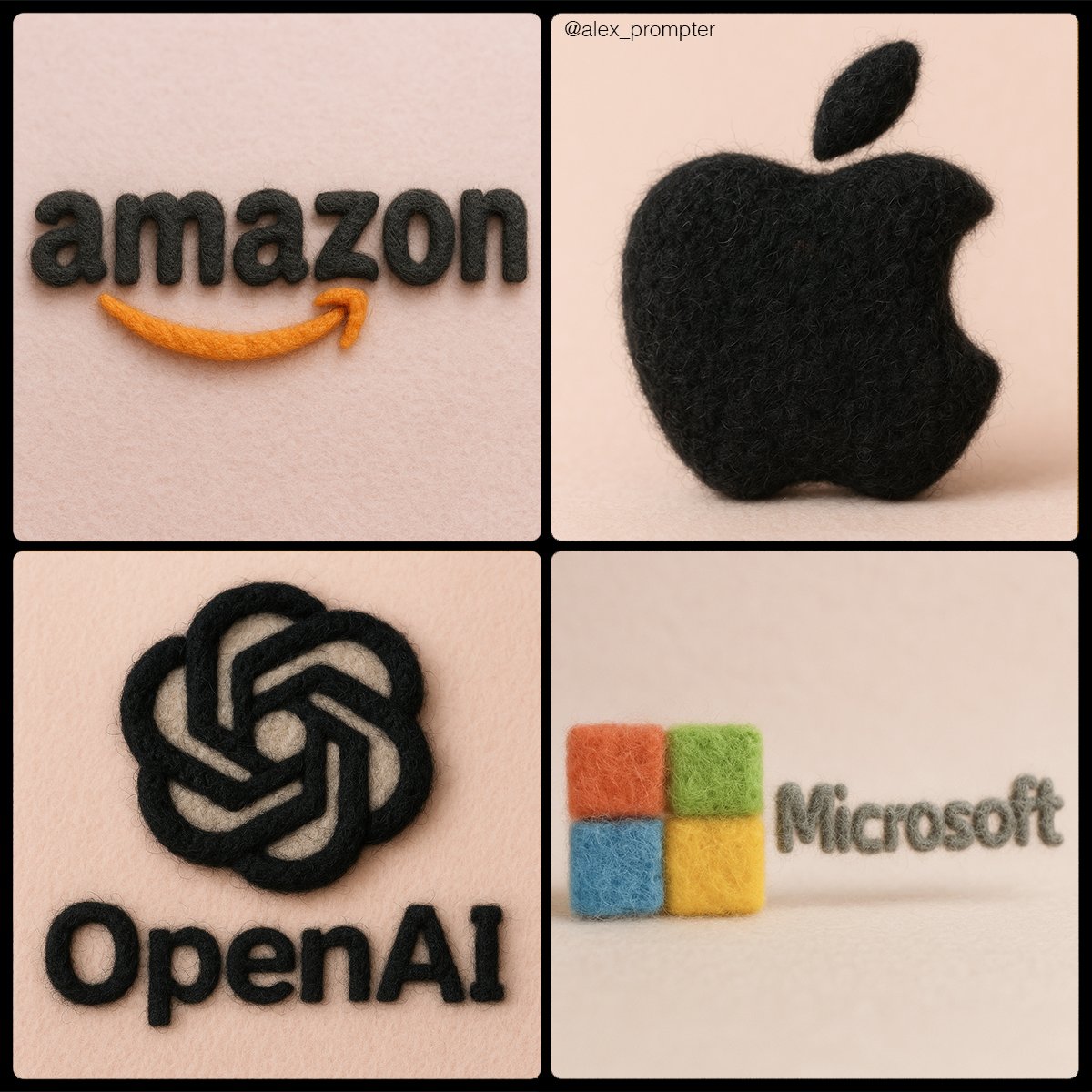
Retexture [BRAND NAME] logo following my JSON aesthetic below: { "style": "realistic needle-felted wool sculpture", "subject_handling": { "adapt_to_uploaded_image": true, "preserve_original_shape_and_layout": true, "preserve_uploaded_color_values": true, "preserve_text_if_present": true, "preserve_text_case": true, "preserve_exact_letterforms": true, "use_uploaded_image_as_pixel_map": true, "prevent_color_estimation_or_stylization": true }, "needle_felting": { "material_type": "dyed wool fibers matched precisely to uploaded image pixels", "texture_description": "fluffy soft felt with clear fiber strands", "construction_style": "needle-felted, light irregularities allowed but no color bleeding", "color_application_method": "direct color transfer from uploaded image to wool sculpture", "prevent_auto_saturation_adjustment": true, "prevent_color_fading": true, "color_binding_mode": "pixel-level color fidelity per original image" }, "lighting": { "lighting_type": "neutral soft studio lighting", "shadow": "soft, gray-toned shadows under the object only", "highlight_behavior": "matte highlights only from felt surface — no bloom or color shift" }, "background": { "type": "plain matte studio", "background_color": "pastel tone that contrasts with logo color", "color_conflict_handling": "auto-adjust background brightness — do not alter logo colors" }, "camera": { "focus_style": "macro lens", "depth_of_field": "shallow — full subject in sharp detail, soft background", "angle": "frontal or slightly elevated, full subject visible" }, "post_processing": { "color_preservation_enforced": true, "disable_auto-enhancement_or_tinting": true, "no artistic reinterpretation": true, "no auto-correction, bloom, or white balance adjustments": true }, "image_constraints": { "transparent_background": false, "aspect_ratio_locked": true, "include_text_if_present": true, "preserve_text_case": true, "preserve_uploaded_color_values": true, "prevent_shape_or_color_change": true, "enforce_exact_pixel_color_match_to_uploaded_image": true }, "notes": "The uploaded image must be converted into a needle-felted wool sculpture using its exact colors and shape. Use pixel-level mapping to apply the uploaded color values to simulated dyed wool fibers. Do not change, brighten, dull, average, or blend colors. Text must remain intact and readable. Background should be soft pastel to contrast the logo — never adjust the logo to fit the scene." }
Você também pode gostar
View all





Perguntas frequentes
Para que serve o prompt "Transforme seu logotipo em textura de feltro"?
Este prompt de branding foi pensado para geração de imagens com IA. Ele ajuda a criar resultados no estilo branding e é otimizado para nano-banana-pro.
Como uso este prompt?
Copie o prompt e cole-o na sua ferramenta favorita de geração de imagens com IA. Você pode ajustar proporção, estilo ou prompts negativos para refinar o resultado.
Quais ferramentas de IA funcionam melhor com este prompt de branding?
Este prompt foi otimizado especificamente para nano-banana-pro, mas também funciona bem com outras ferramentas populares de image.
Posso modificar este prompt?
Sim. Você pode adaptar o prompt à sua direção criativa, adicionar ou remover elementos, refinar descrições de estilo ou combiná-lo com outros prompts para obter resultados únicos.