3,533 views243 copies
0Prompt
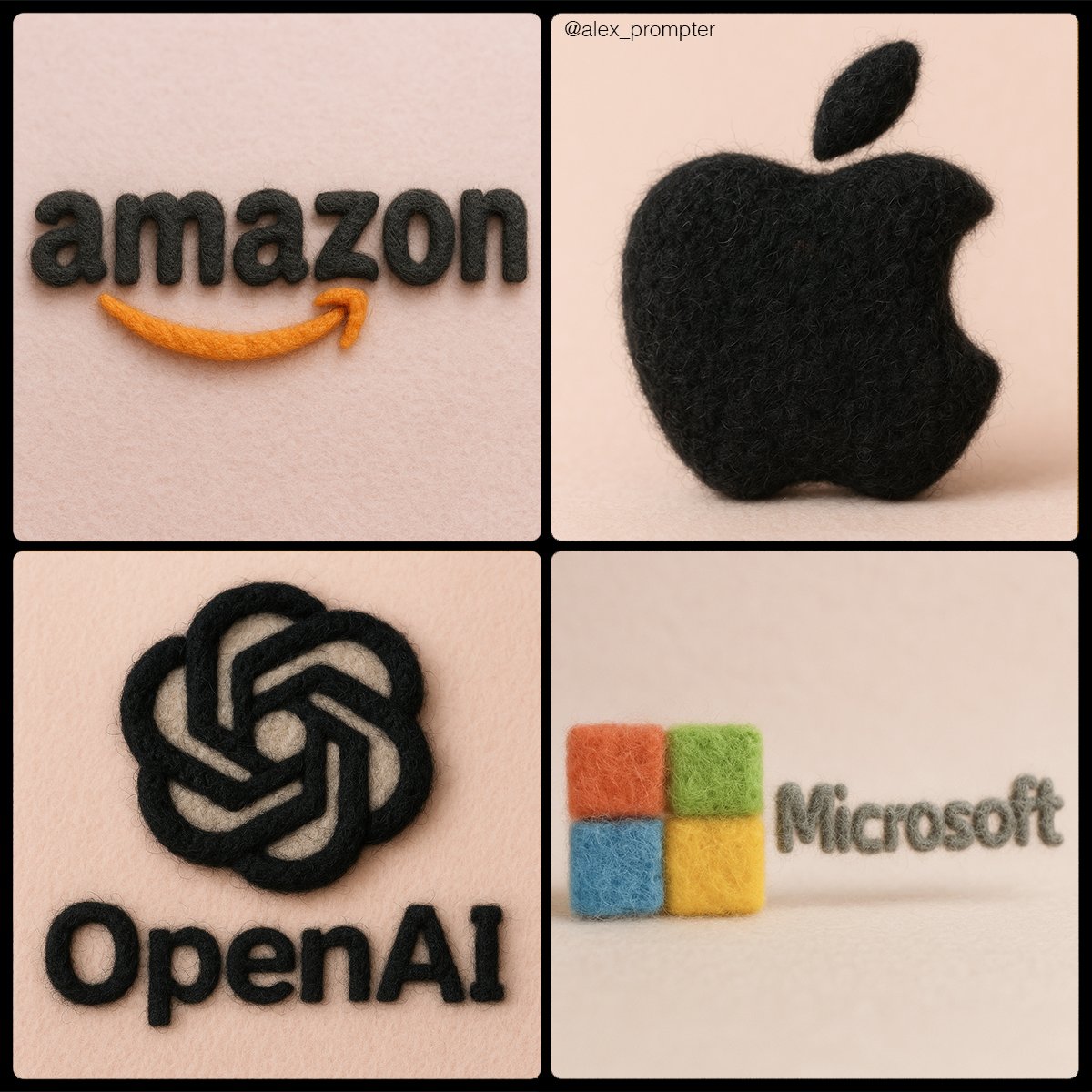
Retexture [BRAND NAME] logo following my JSON aesthetic below: { "style": "realistic needle-felted wool sculpture", "subject_handling": { "adapt_to_uploaded_image": true, "preserve_original_shape_and_layout": true, "preserve_uploaded_color_values": true, "preserve_text_if_present": true, "preserve_text_case": true, "preserve_exact_letterforms": true, "use_uploaded_image_as_pixel_map": true, "prevent_color_estimation_or_stylization": true }, "needle_felting": { "material_type": "dyed wool fibers matched precisely to uploaded image pixels", "texture_description": "fluffy soft felt with clear fiber strands", "construction_style": "needle-felted, light irregularities allowed but no color bleeding", "color_application_method": "direct color transfer from uploaded image to wool sculpture", "prevent_auto_saturation_adjustment": true, "prevent_color_fading": true, "color_binding_mode": "pixel-level color fidelity per original image" }, "lighting": { "lighting_type": "neutral soft studio lighting", "shadow": "soft, gray-toned shadows under the object only", "highlight_behavior": "matte highlights only from felt surface — no bloom or color shift" }, "background": { "type": "plain matte studio", "background_color": "pastel tone that contrasts with logo color", "color_conflict_handling": "auto-adjust background brightness — do not alter logo colors" }, "camera": { "focus_style": "macro lens", "depth_of_field": "shallow — full subject in sharp detail, soft background", "angle": "frontal or slightly elevated, full subject visible" }, "post_processing": { "color_preservation_enforced": true, "disable_auto-enhancement_or_tinting": true, "no artistic reinterpretation": true, "no auto-correction, bloom, or white balance adjustments": true }, "image_constraints": { "transparent_background": false, "aspect_ratio_locked": true, "include_text_if_present": true, "preserve_text_case": true, "preserve_uploaded_color_values": true, "prevent_shape_or_color_change": true, "enforce_exact_pixel_color_match_to_uploaded_image": true }, "notes": "The uploaded image must be converted into a needle-felted wool sculpture using its exact colors and shape. Use pixel-level mapping to apply the uploaded color values to simulated dyed wool fibers. Do not change, brighten, dull, average, or blend colors. Text must remain intact and readable. Background should be soft pastel to contrast the logo — never adjust the logo to fit the scene." }
Vous aimerez aussi
View all





Questions fréquentes
À quoi sert le prompt « Transformez votre logo en texture feutrée » ?
Ce prompt branding est conçu pour la génération d’images par IA. Il aide à produire des résultats de style branding et est optimisé pour nano-banana-pro.
Comment utiliser ce prompt ?
Copiez simplement le prompt puis collez-le dans votre outil de génération d’images par IA préféré. Vous pouvez ajuster le format, le style ou les prompts négatifs pour affiner le résultat.
Quels outils IA fonctionnent le mieux avec ce prompt branding ?
Ce prompt est spécifiquement optimisé pour nano-banana-pro, mais il fonctionne aussi très bien avec d’autres outils image populaires.
Puis-je modifier ce prompt ?
Oui. Vous pouvez adapter le prompt à votre direction créative, ajouter ou retirer des éléments, affiner les descripteurs de style ou le combiner avec d’autres prompts pour obtenir des résultats uniques.