3,532 views243 copies
0Prompt
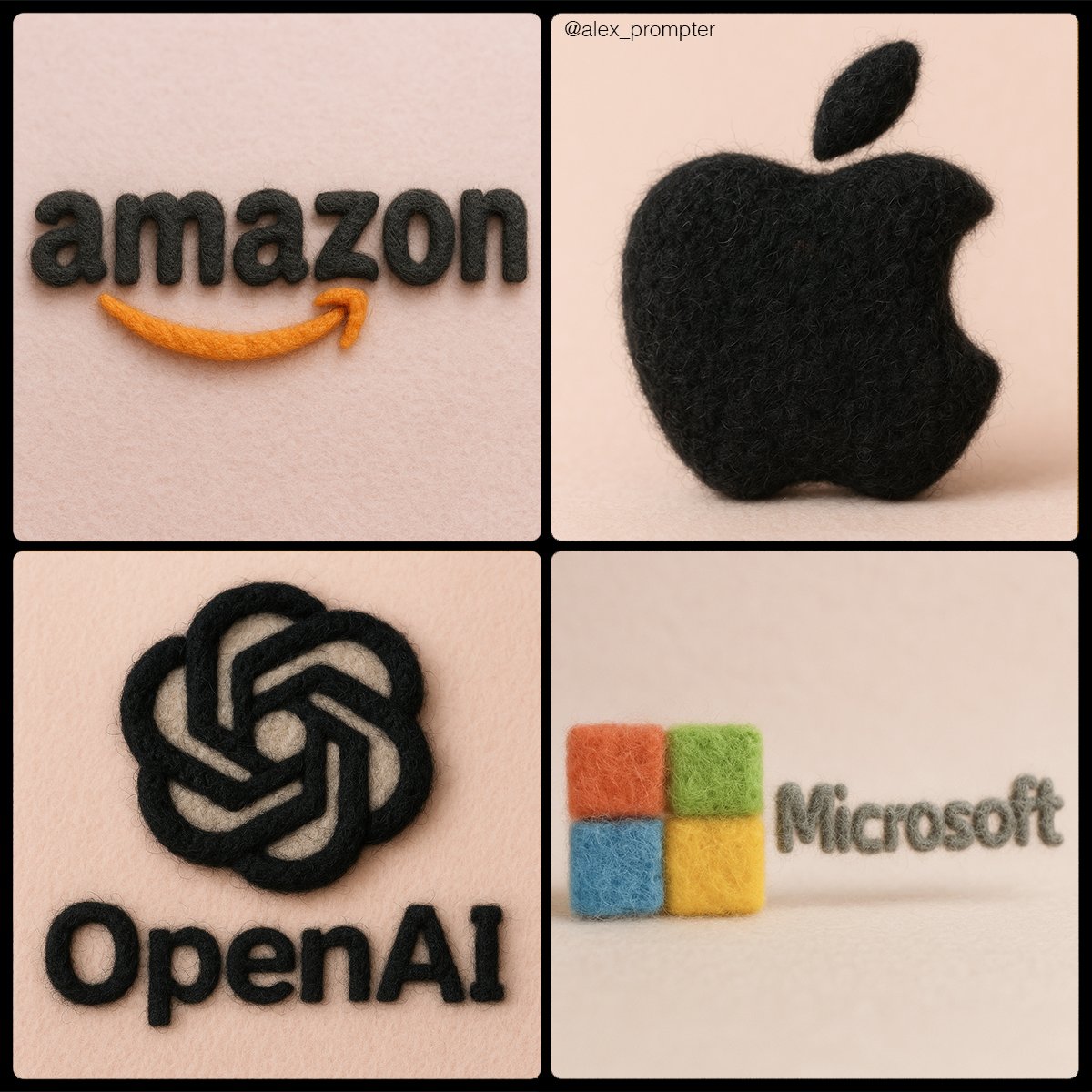
Retexture [BRAND NAME] logo following my JSON aesthetic below: { "style": "realistic needle-felted wool sculpture", "subject_handling": { "adapt_to_uploaded_image": true, "preserve_original_shape_and_layout": true, "preserve_uploaded_color_values": true, "preserve_text_if_present": true, "preserve_text_case": true, "preserve_exact_letterforms": true, "use_uploaded_image_as_pixel_map": true, "prevent_color_estimation_or_stylization": true }, "needle_felting": { "material_type": "dyed wool fibers matched precisely to uploaded image pixels", "texture_description": "fluffy soft felt with clear fiber strands", "construction_style": "needle-felted, light irregularities allowed but no color bleeding", "color_application_method": "direct color transfer from uploaded image to wool sculpture", "prevent_auto_saturation_adjustment": true, "prevent_color_fading": true, "color_binding_mode": "pixel-level color fidelity per original image" }, "lighting": { "lighting_type": "neutral soft studio lighting", "shadow": "soft, gray-toned shadows under the object only", "highlight_behavior": "matte highlights only from felt surface — no bloom or color shift" }, "background": { "type": "plain matte studio", "background_color": "pastel tone that contrasts with logo color", "color_conflict_handling": "auto-adjust background brightness — do not alter logo colors" }, "camera": { "focus_style": "macro lens", "depth_of_field": "shallow — full subject in sharp detail, soft background", "angle": "frontal or slightly elevated, full subject visible" }, "post_processing": { "color_preservation_enforced": true, "disable_auto-enhancement_or_tinting": true, "no artistic reinterpretation": true, "no auto-correction, bloom, or white balance adjustments": true }, "image_constraints": { "transparent_background": false, "aspect_ratio_locked": true, "include_text_if_present": true, "preserve_text_case": true, "preserve_uploaded_color_values": true, "prevent_shape_or_color_change": true, "enforce_exact_pixel_color_match_to_uploaded_image": true }, "notes": "The uploaded image must be converted into a needle-felted wool sculpture using its exact colors and shape. Use pixel-level mapping to apply the uploaded color values to simulated dyed wool fibers. Do not change, brighten, dull, average, or blend colors. Text must remain intact and readable. Background should be soft pastel to contrast the logo — never adjust the logo to fit the scene." }
También te puede gustar
View all





Preguntas frecuentes
¿Para qué sirve el prompt "Convierte tu logotipo en textura de fieltro"?
Este prompt de branding está diseñado para generación de imágenes con IA. Ayuda a crear resultados con estilo branding y está optimizado para nano-banana-pro.
¿Cómo uso este prompt?
Copia el prompt y pégalo en tu herramienta de generación de imágenes con IA preferida. Puedes ajustar la relación de aspecto, el estilo o los prompts negativos para afinar el resultado.
¿Qué herramientas de IA funcionan mejor con este prompt de branding?
Este prompt está optimizado específicamente para nano-banana-pro, pero también funciona bien con otras herramientas populares de image.
¿Puedo modificar este prompt?
Sí. Puedes adaptar el prompt a tu dirección creativa, añadir o quitar elementos, refinar los descriptores de estilo o combinarlo con otros prompts para obtener resultados únicos.