2,036 views64 copies
0Prompt
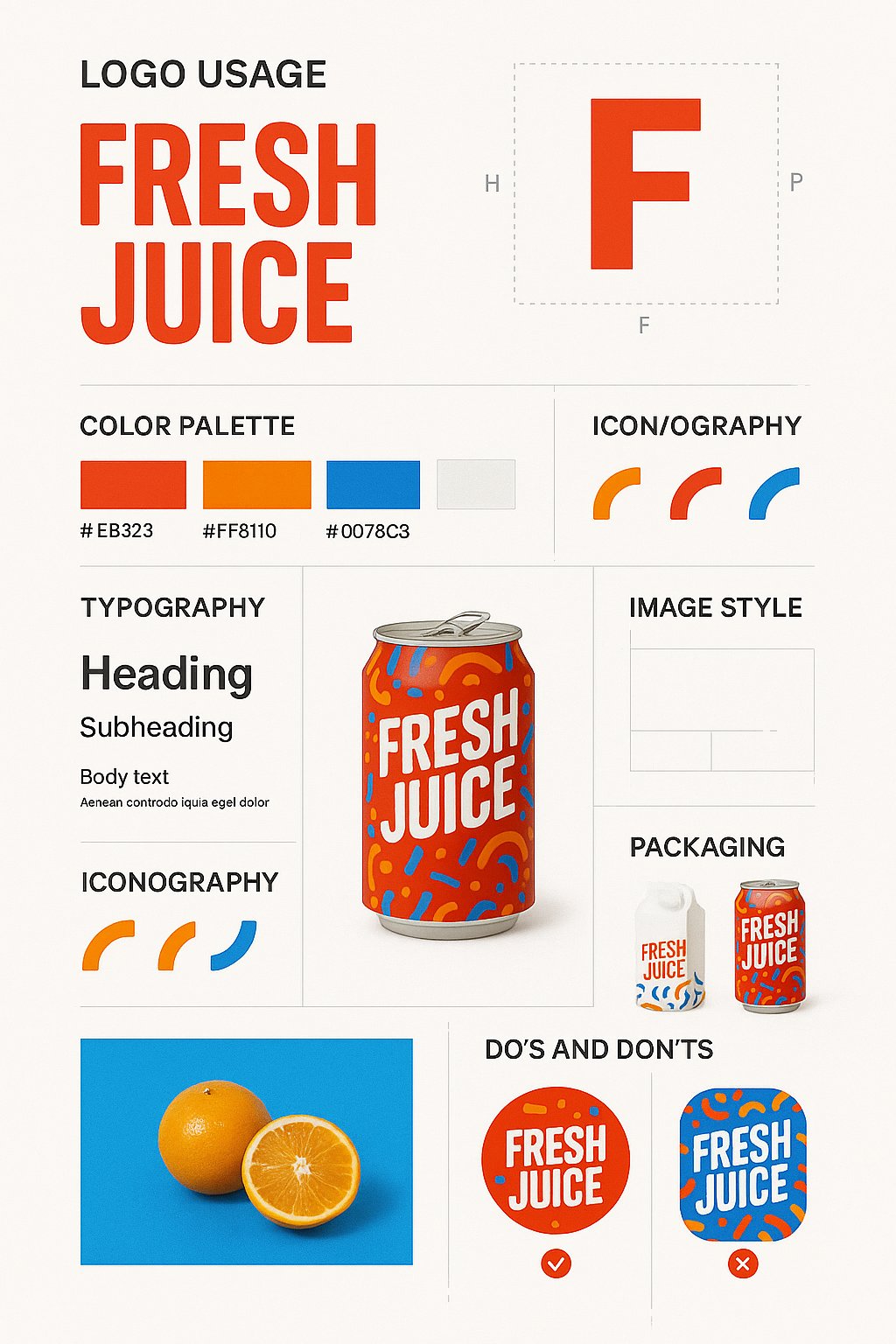
Create a vertical 9:16 brand design guide poster using the uploaded product image. Adapt the design style to match the product’s niche and visual identity. Structure the poster with clear, elegant sections: (1) Large logo display and safe zone usage, (2) Product mockup centered and highlighted, (3) Primary and secondary color palette swatches with hex codes, (4) Typography guide with heading, subheading, body font samples, and line spacing specs, (5) Iconography or graphic motif examples used by the brand, (6) Image treatment style with sample lifestyle or studio visuals, (7) Grid system or layout rules, (8) Packaging mockups and surface applications, (9) Do’s & Don’ts with annotated visuals. Use minimalist white or soft neutral background with structured layout dividers and drop shadows. The result must be visually rich, clean, and suitable for a printed or digital brand book.
Bạn cũng có thể thích
View all





Câu hỏi thường gặp
Prompt " Poster hướng dẫn thiết kế thương hiệu" dùng để làm gì?
Prompt branding này được thiết kế cho tạo ảnh bằng AI. Nó giúp tạo ra kết quả theo phong cách branding và được tối ưu cho nano-banana-pro.
Tôi sử dụng prompt này như thế nào?
Sao chép prompt rồi dán vào công cụ tạo ảnh AI bạn đang dùng. Bạn có thể điều chỉnh tỷ lệ khung hình, phong cách hoặc negative prompt để tinh chỉnh kết quả.
Những công cụ AI nào phù hợp nhất với prompt branding này?
Prompt này được tối ưu riêng cho nano-banana-pro, nhưng cũng hoạt động tốt với các công cụ image phổ biến khác.
Tôi có thể chỉnh sửa prompt này không?
Có. Bạn có thể điều chỉnh prompt theo định hướng sáng tạo của mình, thêm hoặc bớt yếu tố, tinh chỉnh mô tả phong cách hoặc kết hợp với các prompt khác để tạo ra kết quả độc đáo.