3,454 views366 copies
0Prompt
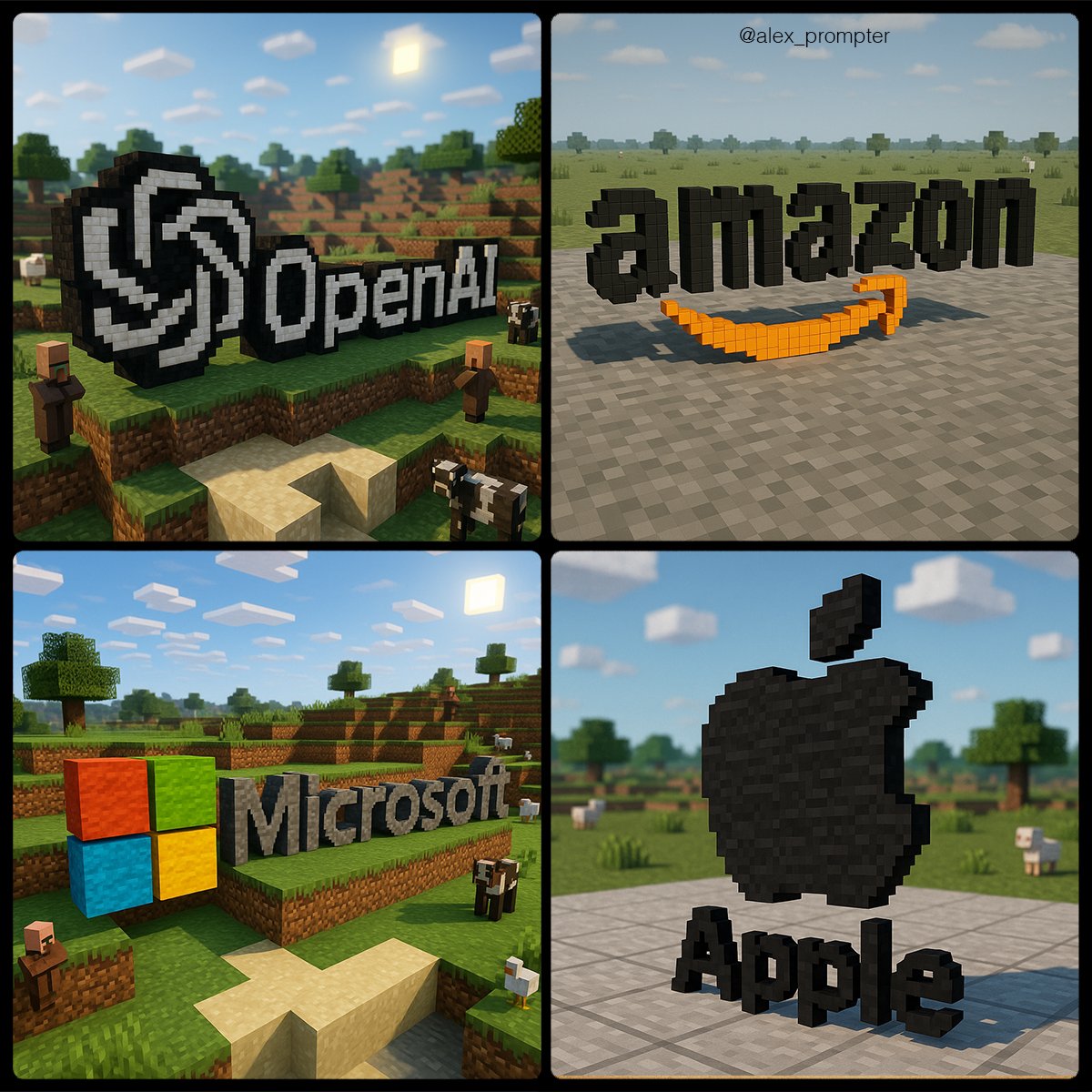
Recreate the [BRAND NAME] logo following the JSON Aesthetic below: { "style": "Minecraft-style voxel 3D rendering", "logo_handling": { "adapt_to_uploaded_logo": true, "rebuild_logo_using_voxel_blocks": true, "use_original_logo_as_strict_pixel-color map": true, "preserve_text_in_logo": true, "preserve_text_case": true, "preserve_original_logo_colors": true, "preserve_shape_and_layout": true "aspect_ratio": [INSERT ASPECT RATIO] }, "minecraft_conversion": { "voxel_depth": "medium thickness to show 3D volume", "block_style": "authentic Minecraft texture mapping", "color_strategy": "each block in the logo must match a pixel from the uploaded logo exactly — no estimation or stylistic substitution", "voxel_material_match": "map logo pixels to Minecraft block colors that visually match pixel color as closely as possible — no creative enhancements", "disable_palette_expansion": true }, "scene_environment": { "base": "neutral terrain (gray concrete or light stone)", "background": "simple sky (clouds, no sun flare)", "optional_elements": [ "Minecraft animals at a distance", "terrain vegetation in background only" ], "environment_color_policy": "environment must not share colors used in the logo to prevent blending or confusion" }, "lighting": { "neutral directional light": true, "do_not_adjust_logo_colors_for_lighting": true, "prevent_ambient_light_color_bleed": true }, "camera": { "angle": "slightly top-down with 3D logo centered", "focus": "sharp focus on voxel logo only, environment softly rendered" }, "render_quality": { "voxel_texture_resolution": "high", "shadows": "natural voxel-style ambient shadows only", "disable_artistic_effects": true }, "post_processing": { "no glow effects": true, "no color correction": true, "disable AI reinterpretation of tones or palette": true }, "image_constraints": { "transparent_background": false, "include_text": true, "preserve_text_case": true, "preserve_original_logo_colors": true, "obey_uploaded_logo_shape": true, "match_uploaded_logo_layout": true, "enforce_color_source_from_logo_only": true }, "notes": "Rebuild the uploaded logo using Minecraft-style voxel blocks. Every block must represent one pixel from the logo's original image. No creative license is allowed in color, shape, or layout. The environment is decorative only and must not affect logo readability or color perception. The final image should appear as if the logo were physically constructed in a Minecraft world using blocks that match its exact colors and shapes." }
Potrebbe piacerti anche
View all





Domande frequenti
A cosa serve il prompt "Inserire il logo in Minecraft"?
Questo prompt animal è progettato per la generazione di immagini con IA. Aiuta a creare risultati in stile animal ed è ottimizzato per nano-banana-pro.
Come uso questo prompt?
Copia il prompt e incollalo nel tuo strumento preferito di generazione immagini con IA. Puoi regolare rapporto d’aspetto, stile o prompt negativi per rifinire il risultato.
Quali strumenti di IA funzionano meglio con questo prompt animal?
Questo prompt è ottimizzato specificamente per nano-banana-pro, ma funziona bene anche con altri strumenti image popolari.
Posso modificare questo prompt?
Sì. Puoi adattare il prompt alla tua direzione creativa, aggiungere o rimuovere elementi, affinare i descrittori di stile o combinarlo con altri prompt per ottenere risultati unici.