188 views392 copies
0Prompt
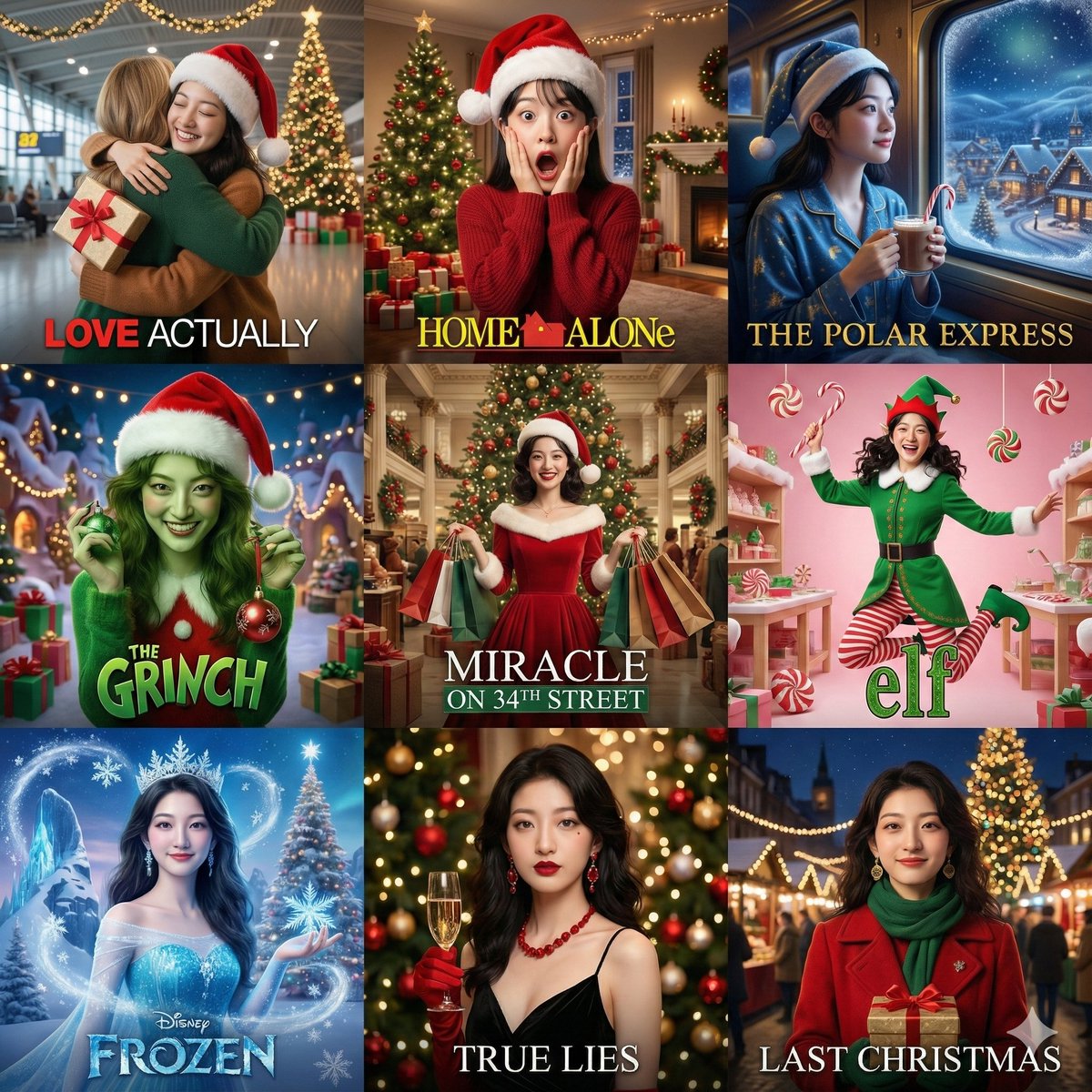
[Global Directive]: A 3x3 grid collage where all 9 squares must feature the exact same woman. Strictly maintain facial features consistent with the reference image. Do not alter her facial features, only change her expressions, makeup, and styling to match each film theme. Square 1: "Love Actually" style - Airport farewell scene wearing a Christmas hat, holding a wrapped gift, warm embrace, background features an airport giant Christmas tree and decorative lights, soft lighting. Square 2: "Home Alone" style - Exaggerated surprised expression with hands on cheeks, wearing a crooked Christmas hat, background features a home Christmas tree, pile of gifts, and decorative lights, comedic effect. Square 3: "The Polar Express" style - At a train window wearing a sleeping cap, holding hot cocoa with a candy cane, outside the window is a magical snowy scene and Christmas village, dreamy blue-gold color tone. Square 4: "How the Grinch Stole Christmas" style - Real person in green-toned clothing with a red Christmas hat, playful expression, holding stolen Christmas decorations, background features Christmas village lights and gifts, creative styling. Square 5: "Miracle on 34th Street" style - Vintage department store scene wearing a classic red Christmas dress, holding a Christmas shopping bag, background features a giant Christmas tree and vintage decorations, classic Hollywood lighting (center). Square 6: "Elf" style - Full elf costume (green top, red striped socks, pointed hat with bell), joyful jumping pose, holding a candy cane, background features a candy-colored Christmas workshop. Square 7: "Frozen" style - Ice-blue princess dress with a snowflake crown, holding a magic ice crystal, snowflakes flying, background features an ice crystal castle and a large Christmas tree, special festive candy, Disney magical feel. Square 8: "True Lies" style - Black dress with red Christmas accessories, holding champagne, background features a Christmas party scene with lights and decorative balls, elegant and mysterious. Square 9: "Last Christmas" style - Fashionable woman wearing a red vintage coat with a green scarf and gold earrings, holding a Christmas gift box, standing under London Christmas market lights, background features Covent Garden's giant Christmas tree and festive shop windows, warm night scene lighting, hopeful expression, modern romantic film aesthetic. Each square imitates the corresponding film's color tone, lighting, and atmosphere, Christmas decorative elements are extremely prominent, movie poster composition, add cinematic title text effects, professional movie still quality, 4K HD.
You may also like
View all





Frequently Asked Questions
What is the "Placing characters in Christmas scenes from nine movies" prompt used for?
This fashion prompt is designed for AI image generation. It helps create fashion results and is optimized for Nano banana pro.
How do I use this prompt?
Simply copy the prompt, then paste it into your preferred AI image generation tool. You can customize settings like aspect ratio, style, or negative prompts to refine the result.
Which AI tools work best with this fashion prompt?
This prompt is specifically optimized for Nano banana pro, but it also works well with other popular image tools.
Can I modify this prompt?
Absolutely. You can customize the prompt to match your creative direction, add or remove elements, refine style descriptors, or combine it with other prompts for unique results.