4,082 views277 copies
0Prompt
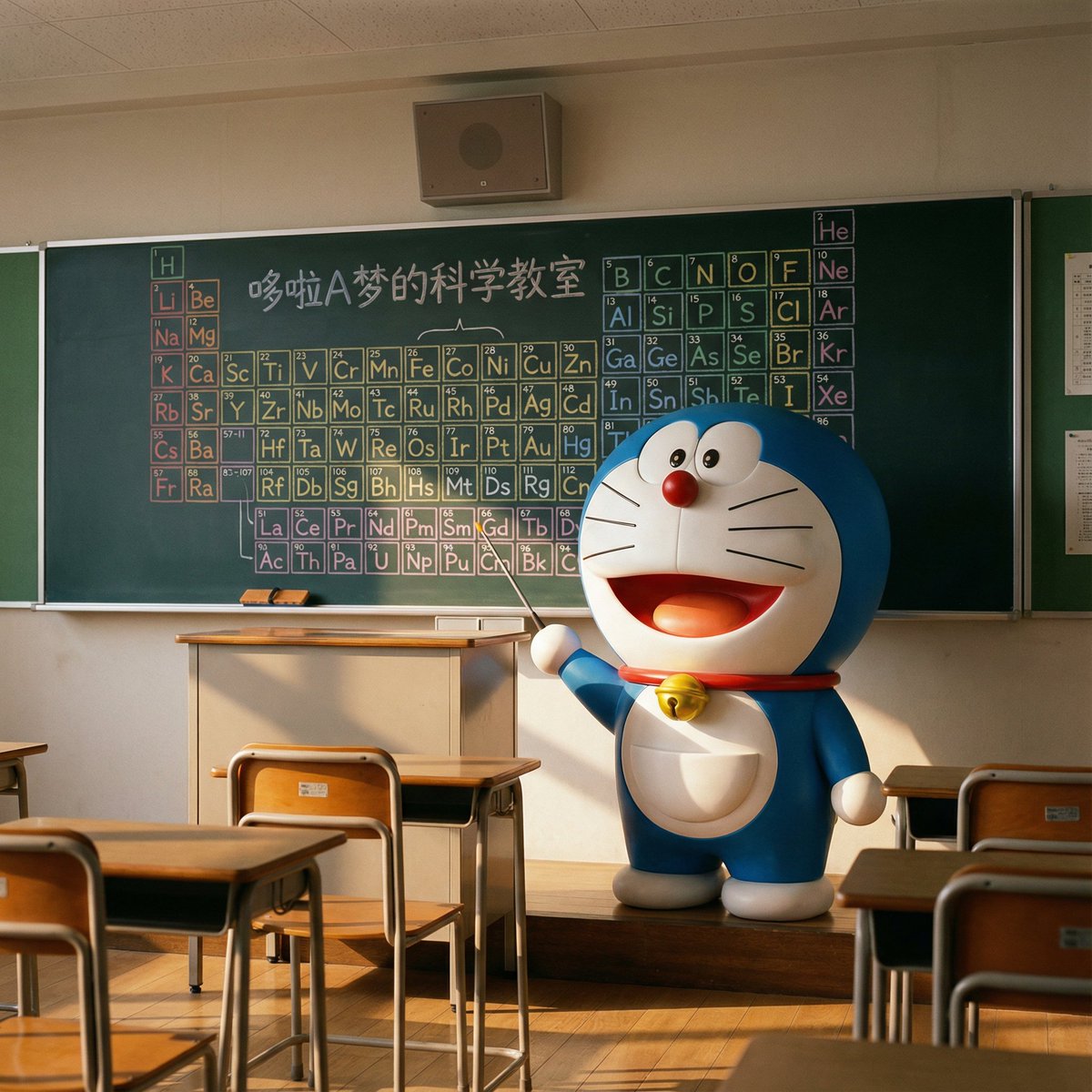
I want a hyper-realistic photo, but with a slightly surreal content. It feels like a child, after school, secretly peeks through the classroom door crack and sees a magical scene: Doraemon is actually in the empty classroom, like a little teacher, seriously preparing for chemistry class. The entire scene should be very realistic, yet filled with a fairy-tale-like warmth and wonder. Scene Content Main Subject: Doraemon himself, alive and standing in front of the classroom podium, not drawn on the blackboard. He looks three-dimensional, with a smooth texture, as if he stepped out of the animation, yet perfectly integrated into this real environment. Character Details: Doraemon stands beside the podium, his body slightly turned, with a serious yet kind expression, as if thinking about how to teach Nobita and the others. He holds a small pointer in one hand, pointing to the blackboard behind him. His yellow bell has a slight reflection under the classroom light, and his four-dimensional pocket on his belly looks full. Background Details (Blackboard): On the blackboard behind him, there is a hand-drawn periodic table of chemical elements in various colored chalks. This periodic table looks as if Doraemon just drew it himself, colorful and with a touch of adorable style. Different colored chalks (such as yellow, blue, pink) can be used to distinguish different element areas, making the entire scene more colorful. Text: At the top or corner of the blackboard, write the title in cute chalk font: "Doraemon's Science Classroom." Environment and Composition Setting: An ordinary Japanese classroom, with desks and chairs neatly arranged. The afterglow of the sunset shines through the windows, creating a quiet and warm atmosphere. Composition: The aspect ratio is 4:3. Viewed from the perspective of a student's seat, Doraemon and the podium are in the center of the frame. Foreground: The very front of the frame can include one or two student desks and chairs, making the perspective more immersive. A box of colored chalks and a blackboard eraser can be placed on the podium. Style and Technical Requirements Style: Photorealism. The key is the combination of a real environment and lighting with the magical presence of Doraemon, an anime character. Lighting: Warm afternoon natural light slants in from the windows. The light should naturally fall on Doraemon, creating soft shadows and highlights on his round body to give him a sense of volume. A faint shadow should be cast at his feet, making him appear more real. Focus: The focus should be sharply on Doraemon, with the content on the blackboard also clear, but the desks in the foreground can be slightly blurred. Absolutely Avoid! Do not make Doraemon look like a plastic toy or model; he must be alive. Do not include any other characters, especially Nobita, Shizuka, etc. Do not turn the style into an animation screenshot or pure CG; it must feel like a photo. The composition should be stable; avoid strange low angles or fisheye lenses. Colors should not be too vibrant; they should match the hues under real lighting.
You may also like
View all





Frequently Asked Questions
What is the "Doraemon Giving a Lecture" prompt used for?
This 3d prompt is designed for AI image generation. It helps create 3d results and is optimized for Nano banana pro.
How do I use this prompt?
Simply copy the prompt, then paste it into your preferred AI image generation tool. You can customize settings like aspect ratio, style, or negative prompts to refine the result.
Which AI tools work best with this 3d prompt?
This prompt is specifically optimized for Nano banana pro, but it also works well with other popular image tools.
Can I modify this prompt?
Absolutely. You can customize the prompt to match your creative direction, add or remove elements, refine style descriptors, or combine it with other prompts for unique results.