5,000 views399 copies
0Prompt
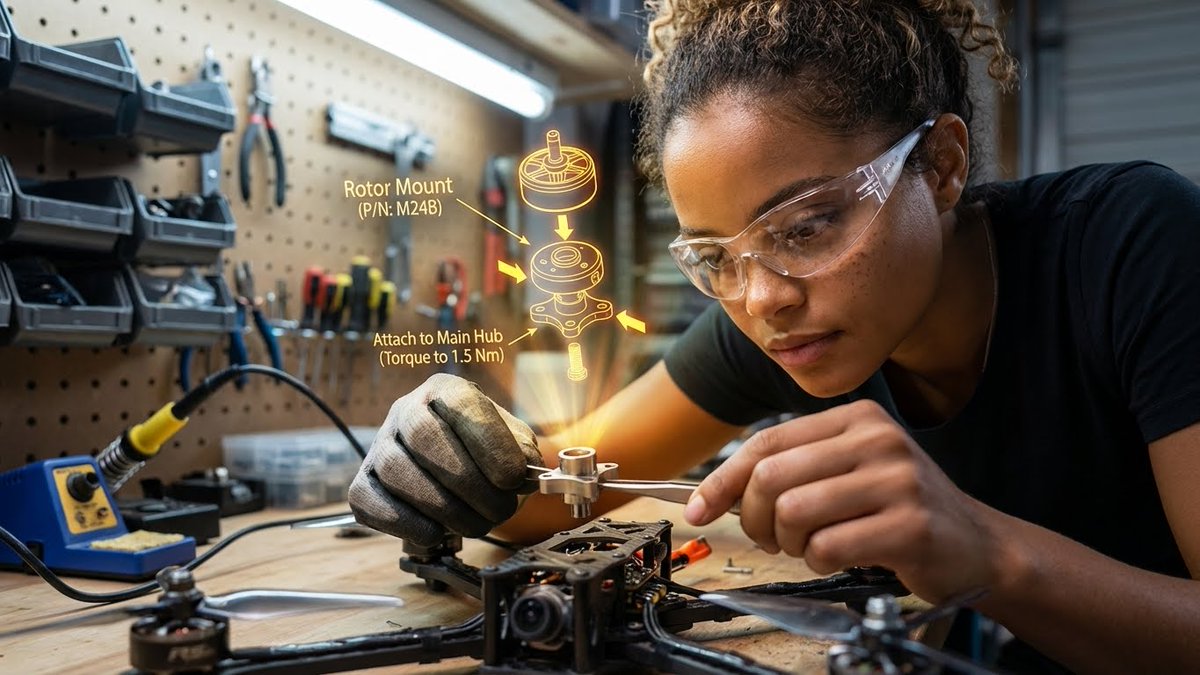
{ "promptDetails": { "description": "A garage/workshop environment with the subject assembling a complex mechanical device, viewing a 3D exploded assembly diagram floating in space.", "styleTags": [ "Industrial", "High Detail", "Technical", "Action Shot" ] }, "scene": { "background": { "setting": "A cluttered but organized home workshop/garage bench", "details": "Pegboard tool wall in the background, organized small parts containers, a soldering iron station, wood grain of the workbench, metal shavings (subtly)." }, "subject": { "description": "The person defined by `[UPLOADED IMAGE]`, wearing safety glasses or a work glove, deeply concentrated.", "pose": "Leaning over the bench, holding a small component (e.g., a rotor or circuit board) with tweezers or a small screwdriver.", "focus": "Hands, component, and the diagram are the sharpest elements." } }, "overlayObject": { "type": "3D Exploded View Assembly Hologram", "relationshipToEnvironment": "Hovering directly above the disassembled drone parts on the workbench.", "transform": "A fully rendered, rotating 3D model of the device, clearly showing where the held component fits.", "surfaceInteraction": "Bright, high-contrast yellow/orange vector lines with directional arrows and part numbering. It must look spatially correct.", "components": { "partID": "Rotor Mount (P/N: M24B)", "instruction": "Attach to Main Hub (Torque to 1.5 Nm)", "position": "Floating central to the workspace." } }, "technicalStyle": { "aspectRatio": "16:9", "photographyStyle": "Product/Technical, High Contrast", "camera": { "shotType": "Close-Up", "angle": "Slightly overhead (designer/technical perspective).", "depthOfField": "Extremely shallow, focusing only on the hands, the component, and the projected diagram. The background should be a creamy blur (bokeh)." }, "lighting": { "type": "Fluorescent Shop Light and Holographic Glow", "description": "Cool, bright, uniform white light from above, contrasted by the warm, directional glow of the yellow/orange hologram." }, "color": { "palette": "Greys, deep reds, metallic silver, and the neon yellow of the graphic." } } }
About this prompt
{ "promptDetails": { "description": "Garage/studio environment, a person is assembling a complex mechanical device while watching a 3D exploded assembly diagram floating in the air.", "styleTags": [ "Industrial", "High Detail", "Technical", "Action Shot" ] }, "scene": { "background": { "setting": "A cluttered yet orderly home studio/garage workbench", "details": "Pegboard tool wall in the background, neat small parts containers, soldering iron station, wood grain of the workbench, (faintly visible) metal shavings." }, "subject": { "description": "The person shown in the image ([uploaded image]), wearing safety glasses or work gloves, with a focused expression.", "pose": "Leaning forward over the workbench, holding a small component (e.g., a rotor or circuit board) with tweezers or a small screwdriver.", "focus": "The hands, the component, and the diagram are the sharpest elements." } }, "overlayObject": { "type": "3D Exploded View Assembly Hologram", "relationToEnvironment": "Hovering directly above the disassembled drone parts on the workbench.", "transformation": "A full render of the device, a rotating 3D model, clearly showing where the held component installs.", "surfaceInteraction": "Bright, high-contrast yellow/orange vector lines with directional arrows and part numbers. It must look spatially correct.", "composition": { "partID": "Rotor Mount (Part No: M24B)", "instruction": "Attach to main hub (torque to 1.5 Nm)", "position": "Centered in the workspace." } }, "technicalStyle": { "aspectRatio": "16:9", "photographyStyle": "Product/Technical, High Contrast", "camera": { "shotType": "Close-up", "angle": "Slightly looking down (designer/technician perspective).", "depthOfField": "Extremely shallow depth of field, focusing only on the hands, component, and projection. The background should be softly blurred (bokeh)." }, "lighting": { "type": "Fluorescent shop lights and hologram glow", "description": "Cool-toned, bright, even white light from above, contrasting with the warm, directional yellow-orange hologram light." }, "color": { "palette": "Grays, deep reds, metallic silvers, and neon yellow in the graphics." } } }
You may also like
View all





Frequently Asked Questions
What is the "3D exploded assembly diagram floating in mid-air" prompt used for?
This infographic prompt is designed for AI image generation. It helps create infographic results and is optimized for Nano banana pro.
How do I use this prompt?
Simply copy the prompt, then paste it into your preferred AI image generation tool. You can customize settings like aspect ratio, style, or negative prompts to refine the result.
Which AI tools work best with this infographic prompt?
This prompt is specifically optimized for Nano banana pro, but it also works well with other popular image tools.
Can I modify this prompt?
Absolutely. You can customize the prompt to match your creative direction, add or remove elements, refine style descriptors, or combine it with other prompts for unique results.