2,650 views367 copies
0Prompt
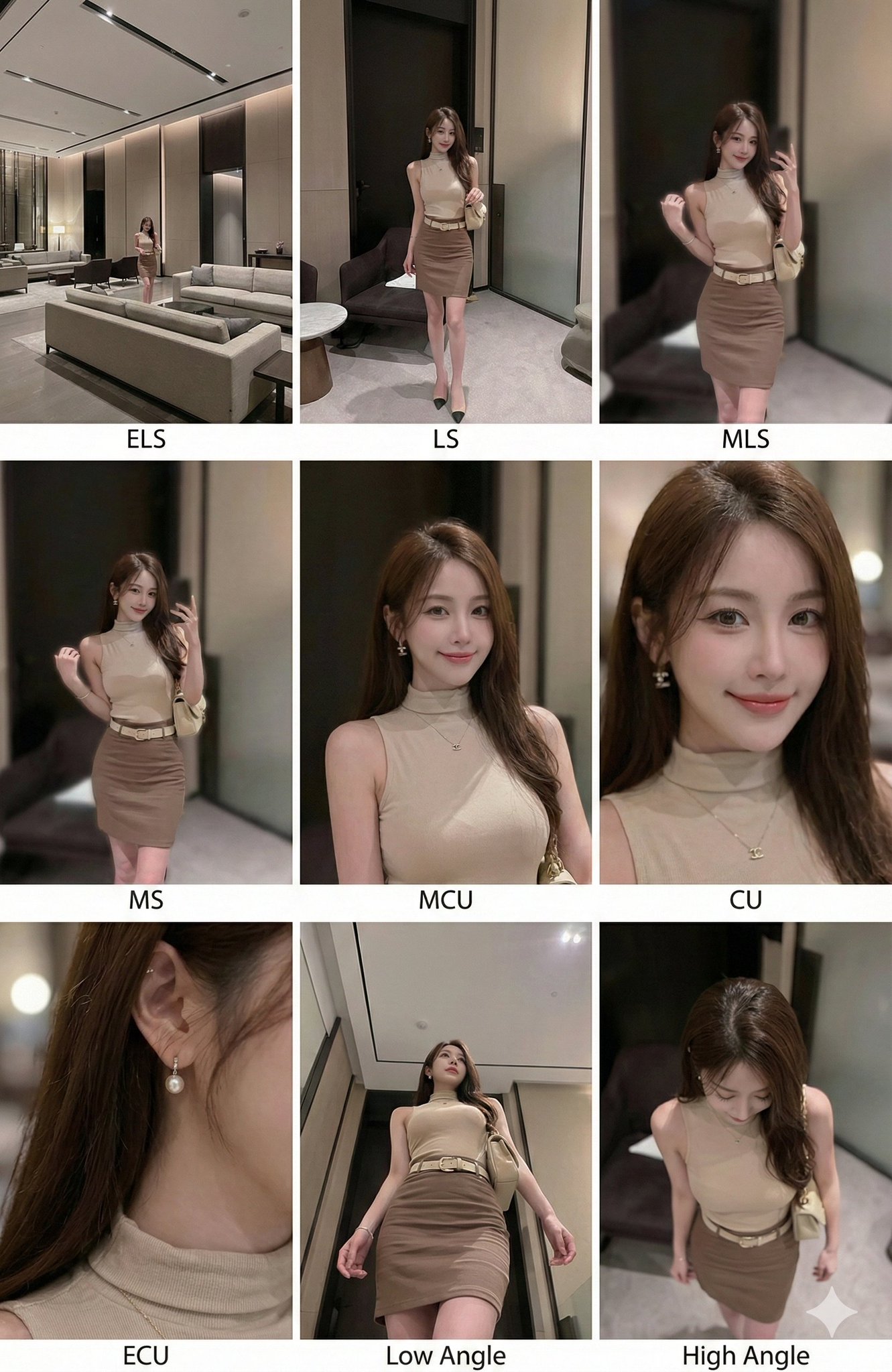
<instruction> Analyze the entire composition of the input image. Identify all key subjects present (whether a single person, group/couple, vehicle, or specific object) and their spatial relationships/interactions. Generate a coherent 3x3 grid "Contact Sheet" showcasing 9 distinct shots of exactly these subjects within the same environment. You must adapt standard cinematic shot types to fit the content (e.g., if a group, keep the group together; if an object, frame the entire object): Row 1 (Establishing Context): 1. Extreme Long Shot (ELS): Subject appears very small within a vast environment. 2. Long Shot (LS): Full subject or group visible from top to bottom (head to toe / wheels to roof). 3. Medium Long Shot (American Shot/Three-Quarter): Framed from above the knees (for people) or a 3/4 view (for objects). Row 2 (Core Coverage): 4. Medium Shot (MS): Framed from above the waist (or the central core of an object). Focus on interaction/action. 5. Medium Close-Up (MCU): Framed from above the chest. Intimate framing of the primary subject(s). 6. Close-Up (CU): Tight framing on the face or the "front" of an object. Row 3 (Detail & Angles): 7. Extreme Close-Up (ECU): Macro detail intensely focused on a key feature (eyes, hands, logo, texture). 8. Low-Angle Shot (Worm's-Eye View): Looking up at the subject from ground level (spectacular/heroic feel). 9. High-Angle Shot (Bird's-Eye View): Looking down on the subject from above. Ensure strict consistency: The same person(s)/object(s), same clothing, and same lighting across all 9 panels. Depth of field should vary realistically (background blur in close shots). </instruction> A professional 3x3 cinematic storyboard grid containing 9 panels. This grid showcases the specific subject(s)/scene from the input image across a comprehensive range of focal lengths. Top Row: Wide environmental shots, full view, 3/4 crop (above-knee view). Middle Row: Waist-up view, chest-up view, face/front close-up. Bottom Row: Macro detail, low angle, high angle. All frames feature photorealistic textures, consistent cinematic color grading, and correct framing for the specific number of subjects or objects analyzed.
You may also like
View all





Frequently Asked Questions
What is the "One Image Generates Nine Different Shots" prompt used for?
This landscape prompt is designed for AI image generation. It helps create landscape results and is optimized for Nano banana pro.
How do I use this prompt?
Simply copy the prompt, then paste it into your preferred AI image generation tool. You can customize settings like aspect ratio, style, or negative prompts to refine the result.
Which AI tools work best with this landscape prompt?
This prompt is specifically optimized for Nano banana pro, but it also works well with other popular image tools.
Can I modify this prompt?
Absolutely. You can customize the prompt to match your creative direction, add or remove elements, refine style descriptors, or combine it with other prompts for unique results.