2,489 views384 copies
0Prompt
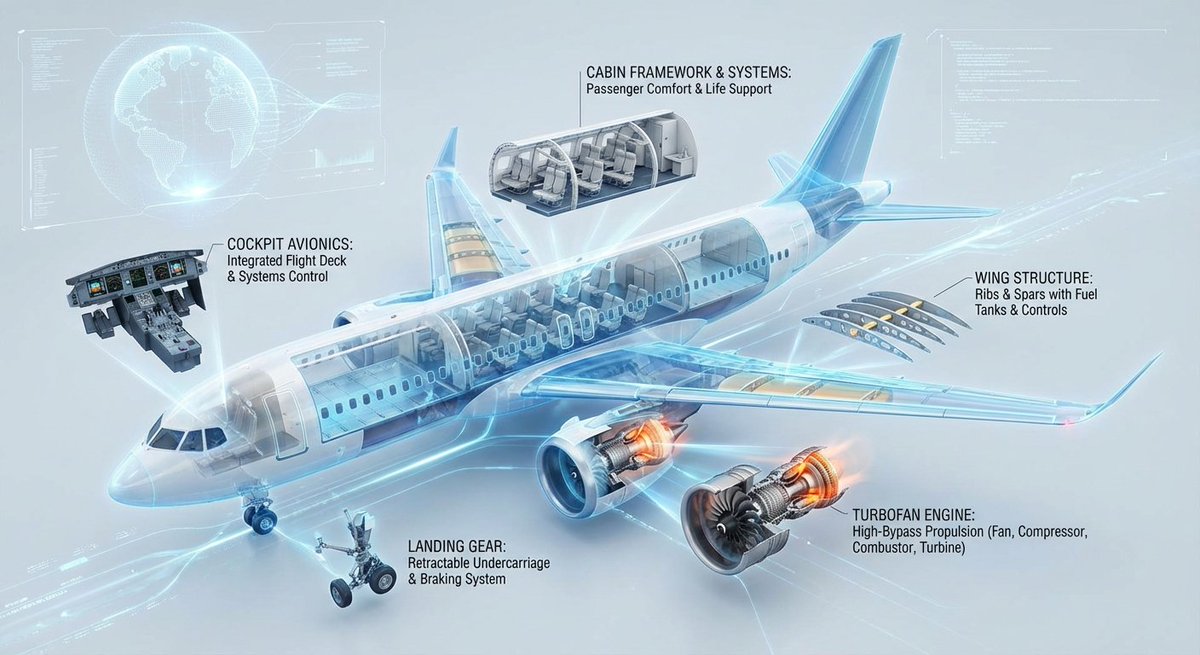
Create a highly technological 3D cross-sectional infographic designed to showcase the internal structure and operational principles of a modern commercial jet aircraft. The illustration presents the main body of the aircraft (including the fuselage, wings, tail, and a highlighted turbofan engine) in a semi-disassembled cross-sectional manner, revealing its complex internal construction. Key components (such as: cockpit avionics systems, cabin framework, cargo hold, fuel tanks, wing ribs/spars, engine compressor/turbine, landing gear mechanisms, etc.) are systematically disassembled, arranged in a floating manner, and connected to the main body with guide lines. Each major section is accompanied by clear, professional English annotations, explicitly indicating structural names and their concise functional descriptions. The overall layout pursues ultimate cleanliness and logic, with a clean background and a style reminiscent of a futuristic interactive high-level engineering blueprint.
You may also like
View all





Frequently Asked Questions
What is the "Aircraft 3D Cutaway Infographic" prompt used for?
This 3d prompt is designed for AI image generation. It helps create 3d results and is optimized for Nano banana pro.
How do I use this prompt?
Simply copy the prompt, then paste it into your preferred AI image generation tool. You can customize settings like aspect ratio, style, or negative prompts to refine the result.
Which AI tools work best with this 3d prompt?
This prompt is specifically optimized for Nano banana pro, but it also works well with other popular image tools.
Can I modify this prompt?
Absolutely. You can customize the prompt to match your creative direction, add or remove elements, refine style descriptors, or combine it with other prompts for unique results.