3,099 views59 copies
0Prompt
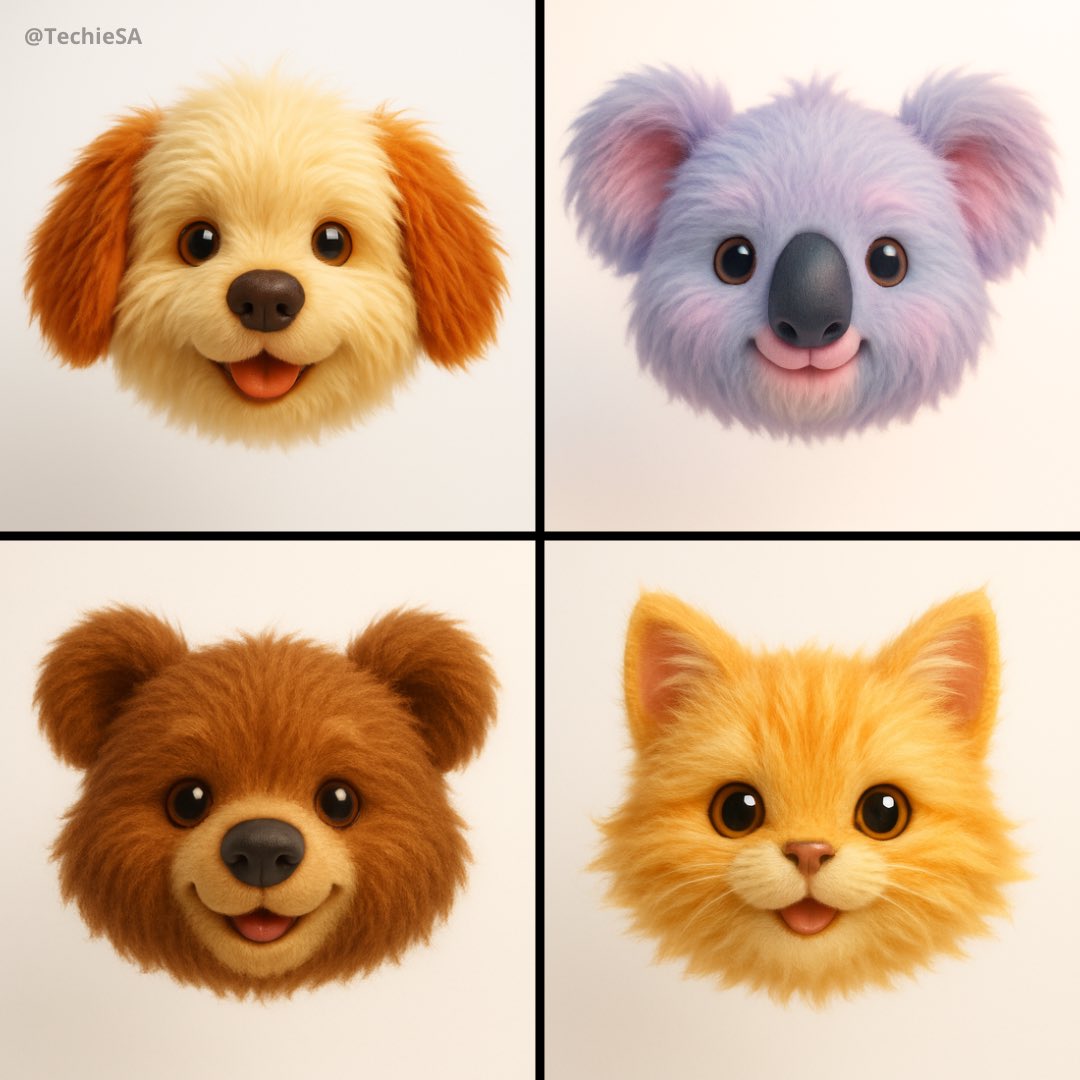
Generate a hyper-realistic 3D render of a [EMOJI🐱] as a floating animal head with plush toy aesthetics. The design should emphasize ultra-soft, long fur, playful cuteness, and a childlike charm. Use a straight-on camera angle with soft, diffused lighting to create a warm and inviting glow. Keep the background pure white for a clean, modern look. The color palette should be vibrant yet soothing, enhancing the toy-like appeal. Style: Ultra-detailed, whimsical, and hyper-cute, blending realism with a soft, plush texture for maximum visual impact.
About this prompt
Generate a hyper-realistic 3D rendering effect, designing the [emoji 🐱] into a floating animal head with the aesthetic style of a plush toy. The design should emphasize ultra-soft long fur, playful cuteness, and childlike charm. Use a front-facing camera angle, paired with soft diffused lighting, to create a warm and inviting glow. Keep the background pure white to present a clean, modern appearance. The color scheme should be vibrant yet soothing, enhancing the toy-like appeal. Style: ultra-detailed, fantastical, super cute, combining realism with soft plush texture to achieve maximum visual impact.
You may also like
View all





Frequently Asked Questions
What is the "3D emoji heads" prompt used for?
This animal prompt is designed for AI image generation. It helps create animal results and is optimized for nano-banana-pro.
How do I use this prompt?
Simply copy the prompt, then paste it into your preferred AI image generation tool. You can customize settings like aspect ratio, style, or negative prompts to refine the result.
Which AI tools work best with this animal prompt?
This prompt is specifically optimized for nano-banana-pro, but it also works well with other popular image tools.
Can I modify this prompt?
Absolutely. You can customize the prompt to match your creative direction, add or remove elements, refine style descriptors, or combine it with other prompts for unique results.